
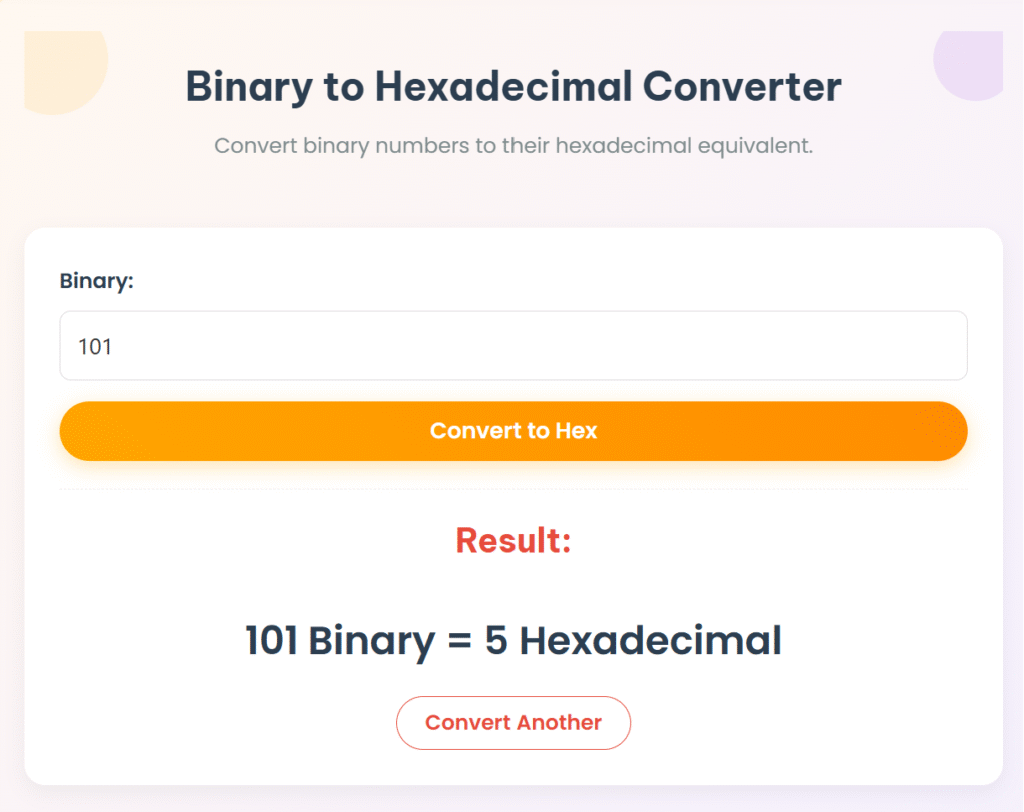
Binary to Hexadecimal Converter
Convert binary numbers to their hexadecimal equivalent.
Result:
Binary to Hexadecimal Converter: Free Online Tool & Step-by-Step Guide
Converting between binary (base-2) and hexadecimal (base-16) is a fundamental skill in computer science, digital electronics, and low-level programming. This conversion is crucial for tasks like interpreting memory addresses, understanding bitmasks, and working with digital color codes.
Our free Binary to Hex Converter provides instant, accurate conversions with clear, detailed explanations. This comprehensive guide will cover:
- How to easily use our online converter tool
- Two simple manual conversion methods (e.g., 4-bit grouping)
- Practical applications of binary to hexadecimal conversion in computing
- Common conversion examples and a quick reference table
- Answers to frequently asked questions (FAQs) about binary and hex
How to Use Our Binary to Hexadecimal Converter Online
Our binary to hex conversion tool is fast, accurate, and works seamlessly on any device. Follow these simple steps for quick and precise conversions:
- Enter Your Binary Number: Input your binary value (e.g.,
11011011,00101111,101010101010) into the designated field. Our tool efficiently supports any binary length and even handles spaces or underscores for improved readability. - Click “Convert”: The tool processes your input instantly, displaying the hexadecimal equivalent.
- View the Hexadecimal Result Instantly: Get your precise hexadecimal output, accompanied by a clear, step-by-step explanation of how the conversion was performed.
Example Conversion:
- Binary Input:
11011011 - Hexadecimal Output:
DB
Why Use Our Free Binary to Hex Converter Tool?
- No software download required: Access our online binary to hexadecimal converter directly from your web browser, anytime, anywhere.
- Supports any binary length (auto-pads with zeros): Convert binary strings of any size, even those not perfectly divisible by four; our tool will intelligently pad with leading zeros.
- Handles spaces or underscores for readability: Input
1101_1011or1101 1011– our converter will still process it correctly. - Provides step-by-step explanation: Our tool doesn’t just give the answer; it helps you understand the logic behind every binary to hex conversion, making it an excellent learning aid.
- No installation required: Use it directly online without any setup.
Popular Number base Converters
- Binary to Decimal Converter
- Decimal to Binary Converter
- Decimal to Hexadecimal Converter
- Hexadecimal to Decimal Converter
- Hexadecimal to Binary Converter
Binary to Hexadecimal Conversion: Manual Methods Explained
For those looking to understand the underlying mathematics of how to convert binary to hexadecimal, here are two common manual conversion techniques used in various technical fields.
Method 1: Grouping by 4 Bits (The Standard Approach)
This is the most common and efficient method for binary to hexadecimal conversion, leveraging the direct relationship that one hexadecimal digit represents exactly four binary digits (a nibble).
- Pad with leading zeros: If the length of your binary number isn’t a multiple of 4, add leading zeros until it is.
- Split into 4-bit groups: Divide the binary number into chunks of four bits, starting from the right (least significant bit).
- Convert each group to hex: Convert each individual 4-bit binary group into its corresponding hexadecimal digit (0-9, A-F).
Example: Convert 11011011 (Binary) to Hexadecimal
- Original Binary:
11011011 - Padded (already divisible by 4):
11011011 - Groups:
11011011 - Conversion:
1101(binary) =D(decimal 13)1011(binary) =B(decimal 11)
✅ Result: DB
Method 2: Binary → Decimal → Hex (An Alternative Method)
This alternative method breaks the conversion into two steps, using decimal as an intermediate. It’s less direct but can be helpful if you’re more comfortable with decimal conversions.
- Convert binary to decimal: First, convert your entire binary number into its decimal equivalent using positional notation.
- Convert decimal to hex: Then, convert that decimal number into its hexadecimal equivalent (e.g., using the division by 16 method).
Example: Convert 11011011 (Binary) to Hex via Decimal
- Binary
11011011= Decimal219(e.g., 1×27+1×26+0×25+1×24+1×23+0×22+1×21+1×20=128+64+0+16+8+0+2+1=219) - Convert Decimal
219to Hex:- 219÷16=13 remainder 11 (which is B in hex)
- 13÷16=0 remainder 13 (which is D in hex)
- Reading remainders in reverse (D then B) gives
DB.
✅ Result: DB
Image Suggestion:
- Location: After “Method 2: Binary → Decimal → Hex” explanation.
- Image Type: An illustrative diagram explaining either the 4-bit grouping method (showing binary chunks mapping directly to hex digits) or the intermediate method (showing the flow from binary to decimal, then to hex).
- Alt Text:
Diagram showing binary to hexadecimal conversion by 4-bit groupingorVisual explanation of converting binary to hex via a decimal intermediate
Practical Applications of Binary to Hexadecimal Conversion
Understanding how to convert binary to hexadecimal is crucial across various technical domains:
- Computer Programming: Essential for memory address representation (where
0xhex values make long binary addresses concise). It’s also vital for bitmask operations and crucial in embedded systems development for configuring hardware registers. - Digital Electronics: Fundamental for microcontroller programming, FPGA (Field-Programmable Gate Array) configuration, and hardware debugging, where status registers and data are often displayed in hex.
- Data Representation: Used in graphics programming for color codes (e.g., HTML/CSS color codes are often hex representations of RGB binary values). It’s also key for file format analysis and understanding various network protocols where data is often visualized in hex.
- Academic Studies: A core topic in computer architecture courses, digital logic design, and programming fundamentals as it provides a bridge between the machine’s binary language and human-readable representation.
Binary to Hexadecimal Conversion Table (Quick Reference)
This table provides a quick reference for common binary to hexadecimal conversions for your convenience.
| Binary | Hexadecimal |
|---|---|
| 0000 | 0 |
| 0001 | 1 |
| 0010 | 2 |
| 0011 | 3 |
| 0100 | 4 |
| 0101 | 5 |
| 0110 | 6 |
| 0111 | 7 |
| 1000 | 8 |
| 1001 | 9 |
| 1010 | A |
| 1011 | B |
| 1100 | C |
| 1101 | D |
| 1110 | E |
| 1111 | F |
Export to Sheets
Frequently Asked Questions (FAQ) about Binary to Hexadecimal Conversion
Q1: How do I handle binary numbers not divisible by 4?
If your binary number’s length isn’t a multiple of 4, you simply add leading zeros to the left (most significant bit side) until its length is divisible by 4. This doesn’t change the number’s value.
- Example: Binary
101becomes0101for grouping.11becomes0011.
Q2: Why is hexadecimal commonly used with binary?
Hexadecimal is commonly used with binary because it provides a more compact and human-readable representation of long binary strings. One hexadecimal digit summarizes four binary digits (a nibble), significantly reducing string length and making memory addresses, color codes, and debugging information much easier to read and less prone to transcription errors.
Q3: Can I convert binary fractions to hex?
Yes, you can! The process involves:
- Separating the integer and fractional parts of the binary number.
- Converting each part independently: The integer part uses the standard 4-bit grouping. The fractional part is grouped into 4-bit chunks moving away from the binary point, padding with trailing zeros if necessary.
- Combining the results with a hexadecimal point. (Outbound Link Suggestion: Link “binary fractions to hex” to a detailed educational resource on converting fractional binary numbers to hexadecimal.)
Q4: What’s the largest 32-bit binary number in hex?
The largest 32-bit binary number is represented by eight hexadecimal digits: FFFFFFFF. This is because each hex digit represents 4 bits, so 8 hex digits×4 bits/hex digit=32 bits.
Q5: How do I verify my binary to hexadecimal conversion is correct?
You can verify your conversion in several ways:
- Use our online converter to double-check your manual calculations.
- Convert back to binary: Convert your resulting hexadecimal number back to binary to see if it matches your original binary input.
- Check against known values in conversion tables for common binary-hex pairs.
- Use a programming language’s built-in conversion function (e.g., Python’s
hex(int('binary_string', 2))). (Outbound Link Suggestion: Link “programming language’s built-in conversion function” to a relevant developer documentation page, e.g., Python’s official docs onbin()andhex().)
Conclusion
Mastering binary to hexadecimal conversion is an essential skill for programmers, engineers, and anyone delving into the intricacies of digital systems. Our free online tool makes these conversions instant and effortless, while understanding the manual methods provides a deep, invaluable comprehension of foundational computing principles.
🚀 Ready to simplify your work? Try our Binary to Hexadecimal Converter now and enhance your understanding of number systems!